01
One operating record
Applications, vendors, permits, sessions, payments, and reports stay tied to the same market workflow.
If your team is searching for a Manage My Market alternative, the useful question is not which name is more familiar. The useful question is which workflow your market needs to improve first: applications, permits, booth assignments, maps, check-in context, payments, closeout, or reports.
The Market Manager is positioned for recurring vendor markets that want these workflows connected in one operating record instead of spread across separate tools and spreadsheets.
Product image and outcome cards describing connected market operations.
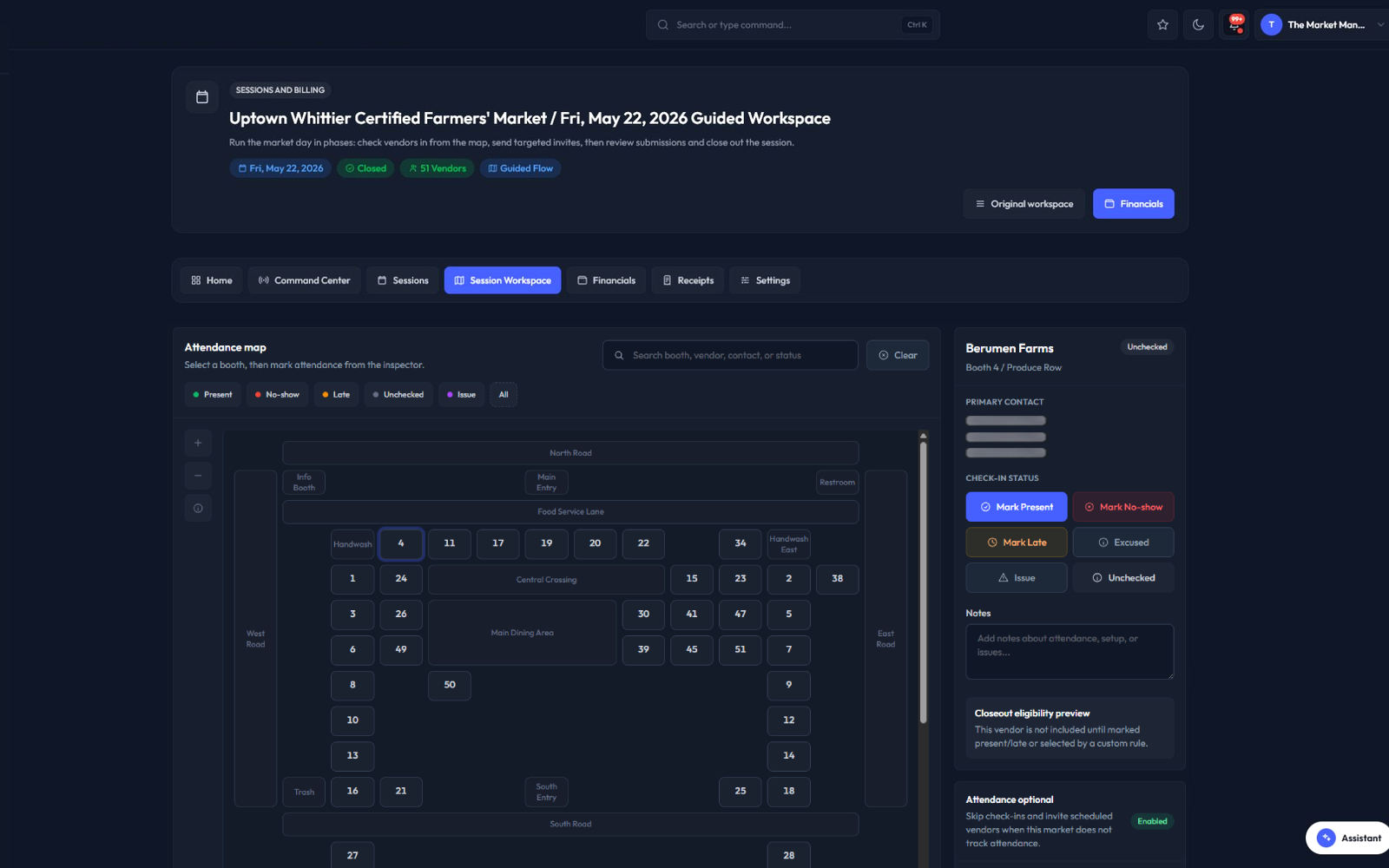
Applications, vendors, permits, sessions, payments, and reports stay tied to the same market workflow.
The team can see readiness, gaps, assignments, and closeout work without rebuilding the story in spreadsheets.
Operational context carries from intake to market day so managers can act before small problems become urgent.
Each part of the page maps to a real operating decision: what replaces the spreadsheet stack, how the team works through the week, what stays connected, and what managers should measure.
Alternative pages should help buyers compare fit without guessing at another vendor's roadmap or contract. Start from your own needs: where does the team duplicate data, where do decisions get lost, and where does closeout take too much manual reconstruction?
The Market Manager should be evaluated by its connected workflow coverage across public applications, vendor records, permit review, market maps, sessions, fees, benefit-program reporting, exports, and management reporting.
The Market Manager is a strong fit when the team needs more than an application portal. It is built for the full market cycle: collect vendor applications, review readiness, manage vendor records, track permits, plan maps, run sessions, review money, and report on what happened.
Before moving from any farmers market software tool, compare the current setup against one real market cycle. Include application setup, renewal needs, vendor categories, document review, booth assignments, public map needs, payment review, benefit reporting, exports, and manager permissions.
The practical migration path is to start with one upcoming market cycle. Bring over the vendor roster, application questions, permit requirements, fee rules, booth map needs, and reporting expectations. Then compare whether the new workflow removes enough manual work to justify a wider rollout.
A controlled pilot exposes the data, workflow, and staff-change requirements before a team commits an entire market season.
Start with a defined application program or market session, not the entire historical archive.
Decide which system owns vendor data, document decisions, booth assignments, and fee status during the pilot.
Compare review time, missing-document follow-up, assignment changes, closeout work, and reporting cleanup before expanding.
Keep moving through the buying path with focused pages for adjacent workflows inside The Market Manager.
Direct answers for buyers comparing spreadsheets, form tools, and market-specific operating software.
Yes. Teams comparing Manage My Market alternatives can evaluate The Market Manager for connected applications, vendors, permits, maps, sessions, payments, closeout, and reporting.
Compare application setup, vendor handoff, permit review, booth maps, market-day check-in context, payment review, benefit-program reporting, exports, permissions, and closeout needs.
Yes. Public application programs can collect vendor details and documents, then connect approved applicants to vendor operations.
Yes. Market map planning, booth assignment workflows, public visitor-safe map outputs, and staff or vendor map packets can be part of the workflow.
No. A switch makes sense when the new workflow reduces duplicate work, improves readiness visibility, and preserves better operating history than the current setup.
Read the supporting guides, checklists, and comparisons behind this workflow.