Vendor application workflow markers summarize the intake, review, and handoff areas covered by this public page.

This page explains how public vendor application intake connects to manager review and operating records. Vendor application software Review teams can track submitted, blocked, update-requested, and approved applications in one intake workflow. Review workflow Approved applicants can move into vendor operations without losing application context. Vendor handoff

Farmers market vendor application software that connects intake to operations

Vendor applications are often where market operations start to fragment. Applicants submit forms, documents arrive through email, reviewers track status in a spreadsheet, and approved vendors have to be copied into another system.

The Market Manager keeps application intake connected to the work that comes next: review, approval, vendor records, permits, sessions, billing, and communication.

Start the public registration flow with the starter plan selected.

Open public pricing to compare vendor application workflow plans and limits.

Open the custom plan request form for larger or unusual vendor application workflows.
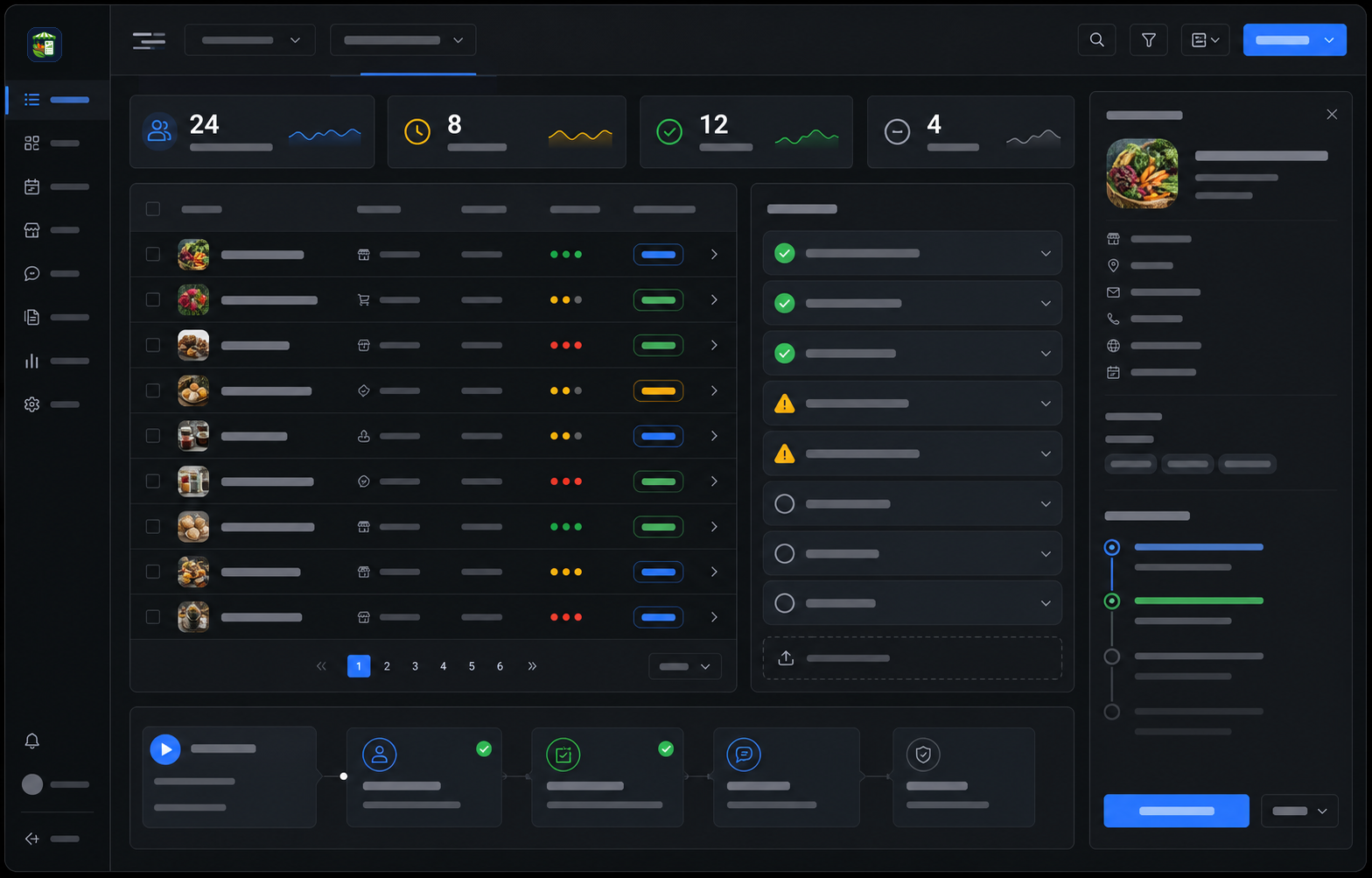
Vendor application outcome summary

Product image and outcome cards describing one intake path, clearer review queues, and cleaner operations handoff for vendor applications.

Farmers market vendor application software review dashboard

Vendor application outcome cards describe intake path, review queue, and operations handoff improvements.

One intake path keeps application details, documents, reviews, and vendor handoff connected.

01
One intake path
Application details, documents, review status, and vendor handoff stay connected from submission through approval.

Review queues show what is ready, blocked, waiting on updates, or approved without a separate spreadsheet.

02
Clearer review queues
Teams can see what is ready, blocked, waiting on updates, or approved without maintaining a separate spreadsheet.

Operations handoff keeps approved applicant context attached to the vendor record.

03
Cleaner operations handoff
Approved applicants can become operating vendor records with the application context still attached.
Operating workflow

A market workflow page, not another keyword page.

Each part of the page maps to a real operating decision: what replaces the spreadsheet stack, how the team works through the week, what stays connected, and what managers should measure.

Vendor application workflow operating outcomes explain how connected intake records reduce review and handoff gaps.

One intake path keeps application details, documents, reviews, and vendor handoff connected.

One intake path

Application details, documents, review status, and vendor handoff stay connected from submission through approval.

Review queues show what is ready, blocked, waiting on updates, or approved without a separate spreadsheet.

Clearer review queues

Teams can see what is ready, blocked, waiting on updates, or approved without maintaining a separate spreadsheet.

Operations handoff keeps approved applicant context attached to the vendor record.

Cleaner operations handoff

Approved applicants can become operating vendor records with the application context still attached.

Public intake pages stay separate from private application reviews.

Buyers can evaluate the vendor application workflow here, while submitted applications, files, reviewer notes, decisions, and vendor handoff records remain inside authorized workspaces.

Vendor application public boundary notes distinguish buyer-facing product content from protected applicant and review records.

Public product pages can explain application intake without exposing submitted applications or review records.

Public application path

This page explains intake, review, pricing, and resources for buyers evaluating vendor application workflows.

Private application review records remain protected inside authenticated manager workspaces.

Protected review workspace

Submitted applications, applicant files, reviewer notes, decisions, and vendor handoff records stay behind authorized access.

Vendor application workflow sections break down the buying page by intake, review, approval, and vendor handoff decisions.

01

Application intake

Application intake should be more than a public form. Market teams need application programs, eligibility details, vendor categories, required questions, file collection, submission windows, and applicant communication.

02

Review workflow

Review teams need to know which applications are ready, which are blocked, which need updates, and which should move forward. A connected system reduces review confusion and preserves the decision trail.

03

Vendor handoff

The most important part of application software is what happens after approval. If the team has to copy approved applicants into another spreadsheet, the application system is not solving the whole problem.

04

Standalone forms vs connected intake

Standalone forms are useful for collection, but they usually stop at submission. Market teams still have to sort documents, track review status, email applicants, create vendor records, and prepare the market-day workflow separately.

05

Who this is for

This page is for operators who are tired of rebuilding vendor records after every application cycle. It is especially useful for teams that run seasonal intake, invite-only programs, renewal cycles, or multiple application programs.

06

What application teams should measure

A strong intake workflow should make application health visible. Teams should know how many applications are submitted, how many are approved, what is blocked, how long review takes, and which requirements create the most friction.

Related product pages
Market Manager Software
Farmers Market Management Software
Market Day Operations Software
Frequently asked questions

Direct answers for buyers comparing spreadsheets, form tools, and market-specific operating software.

Expand one answer at a time without leaving this public product page.

Expand or collapse this vendor application software FAQ answer.

Why not just use a form builder?
A form builder can collect submissions, but it usually does not manage review, vendor handoff, permits, sessions, billing, and operational history.

Expand or collapse this vendor application software FAQ answer.

Can applicants save drafts?
The application workflow can support persistent draft and resume paths so applicants can complete more complex applications.

Expand or collapse this vendor application software FAQ answer.

Can programs be invite-only?
Yes. Invite-only programs help markets control access for renewals, special categories, or private application cycles.

Expand or collapse this vendor application software FAQ answer.

Can required documents be collected?
Yes. Required files and permit documents can be connected to applicant and vendor records.

Expand or collapse this vendor application software FAQ answer.

What happens after approval?
Approved applicants can move into vendor operations so the team does not recreate the same record by hand.

Expand or collapse this vendor application software FAQ answer.

Does this help with renewals?
Yes. Connected history makes renewal and reapplication workflows easier to manage.
Related resources

Supporting guides, checklists, and comparisons.

Read the resources behind this workflow before choosing a market operating system.

Related public resource guides provide supporting checklists and comparisons for vendor application software buyers.

Open this supporting public resource guide.

Farmers Market Vendor Application Checklist Read resource

Open this supporting public resource guide.

How To Choose Farmers Market Management Software Read resource

Open this supporting public resource guide.

Farmers Market Permit Tracking Guide Read resource