01
One operating record
Applications, vendors, permits, sessions, payments, and reports stay tied to the same market workflow.
Farmers market software comparisons can get confusing because tools often solve different parts of the operating week. Some teams need application intake. Some need booth maps. Some need payment review, permit tracking, check-in context, public map outputs, or reporting.
This comparison page gives buyers a practical framework for evaluating farmers market management software by connected workflow coverage instead of brand familiarity alone.
Product image and outcome cards describing connected market operations.
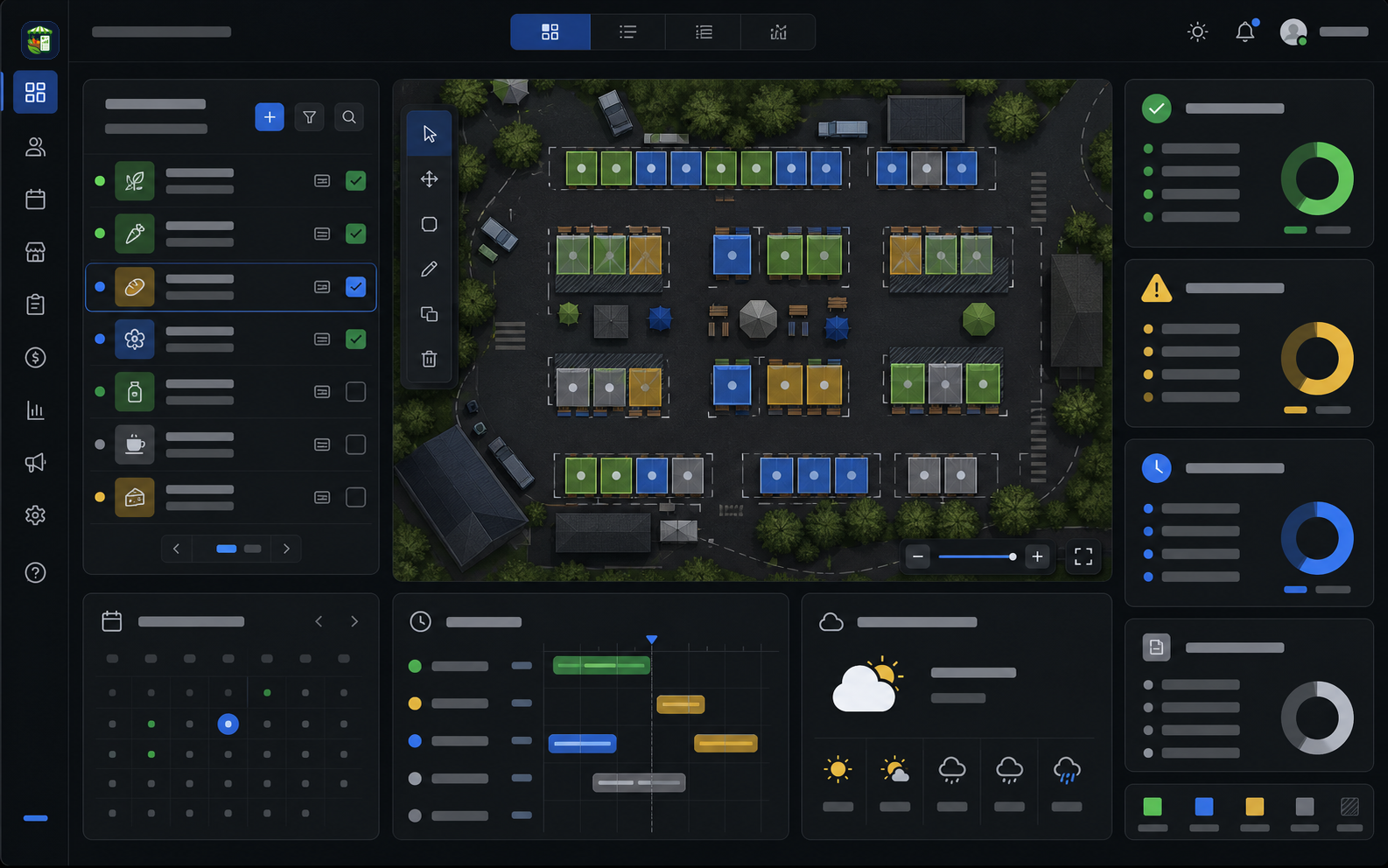
Applications, vendors, permits, sessions, payments, and reports stay tied to the same market workflow.
The team can see readiness, gaps, assignments, and closeout work without rebuilding the story in spreadsheets.
Operational context carries from intake to market day so managers can act before small problems become urgent.
Each part of the page maps to a real operating decision: what replaces the spreadsheet stack, how the team works through the week, what stays connected, and what managers should measure.
A strong comparison starts with the full market week: application intake, vendor review, permit readiness, booth planning, market-day coordination, payment review, benefit-program reporting, closeout, and next-week follow-up.
The Market Manager is built for teams that want those steps connected. The value is not just having many features. The value is keeping application, vendor, permit, map, session, payment, and reporting context in one operating record.
The best farmers market software for one team may not be the best fit for another. A small seasonal market might prioritize public applications and simple fee review. A multi-market operator may need permissions, assignment memory, permit exceptions, exports, and repeatable reports.
Use criteria that match real operating pressure: whether the system reduces duplicate data entry, gives managers reliable readiness signals, and preserves enough history to make the next market week easier.
The Market Manager fits teams looking for a connected operating system rather than a single-purpose application portal, map drawing tool, payment spreadsheet, or event listing workflow.
Its strongest fit is recurring vendor markets that need one place to manage applications, vendors, permits, maps, sessions, check-in context, payments, SNAP or EBT-style benefit reporting, closeout records, exports, and management reporting.
Searches like farmers market software comparison, Manage My Market alternative, ManageMyMarket vs Marketspread, and Marketspread alternative usually point to the same buyer problem: the team is trying to decide which system will reduce the most weekly operating work.
Use this page as a neutral checklist for those searches. Compare each option against a real market cycle instead of relying only on brand familiarity, directory visibility, or a single feature category.
Many buyers compare software as vendor count grows because manual booth planning, document chasing, and attendance or payment notes begin to create weekly cleanup. The right choice depends on whether the team only needs a visual map or whether the map needs to connect to the rest of operations.
The Market Manager should be compared as a connected option for a single 70-vendor market, a larger recurring market, or a multi-market team: applications, vendor readiness, a modern visual layout editor, permit exceptions, payment posture, session closeout, and reporting can stay in one workflow instead of splitting between a map product and separate spreadsheets.
Flexible farmers market software should support late changes without turning the operating record into guesswork. The Market Manager supports practical layout changes such as assigning vendors, drag-and-drop placement, swapping assignments, moving booths, resizing spaces, rotating objects, unassigning vendors, marking booth status, and reviewing issues before public publishing.
The difference is that changes can keep their operational context. A permit concern, payment posture, document issue, or readiness note can remain visible for review while the team still manages the map and prepares the session.
Market calendars are rarely only a simple weekly checklist. Compare whether each product can handle recurring schedules, special open or closed dates, blackout dates, seasonal hour overrides, manual sessions, month generation, and sync when the calendar changes.
The Market Manager keeps those calendar choices tied to sessions, maps, vendor readiness, fees, closeout, and reporting so non-standard dates still inherit the right operating context.
Before choosing farmers market software, ask how the system behaves under real market pressure. The important question is not whether a tool can store information. The important question is whether it keeps the operating picture current when vendors, documents, assignments, money, and reports all change.
This buyer checklist is published by The Market Manager. It describes The Market Manager from first-hand product knowledge and does not make feature, price, support, or availability claims for other providers. Verify those details directly with each provider during evaluation.
| Workflow | What to verify in every product | The Market Manager workflow |
|---|---|---|
| Vendor intake and approval | Can a public application move through review, follow-up, approval, and vendor handoff without re-entering the same information? | Public application programs, applicant review, document collection, messaging, decisions, and connected vendor records. |
| Permits and document readiness | Can the team see missing or expiring requirements in time to make an operating decision? | Requirement sets, permit definitions, document review, expiration visibility, follow-up, and exports tied to the vendor context. |
| Booth planning and map changes | Can assignments, late changes, warnings, and public-safe map outputs stay connected to the market session? | Visual map editing, booths and zones, drag-and-drop assignment, swaps, warnings, version history, visitor-safe outputs, and map packets. |
| Market-day work | Can staff use the current roster, assignment, attendance, permit, weather, and note context while the market is operating? | Session command views, live map context, expected vendor rosters, attendance and check-in context, exceptions, weather signals, and follow-up. |
| Fee review and closeout | Can fee rules, payment posture, reconciliation, balances, and closeout remain attached to the session? | Fee rules, billing preview, session financials, receipts, reconciliations, settlements, carry-forward balances, closeout approval, and exports. |
| Schedule and reporting continuity | Can special dates and operating exceptions flow into sessions, reports, and the next market week? | Recurring schedules, blackouts, special dates, seasonal overrides, manual sessions, monthly generation, session reports, and exports. |
Checked August 4, 2026. This is a The Market Manager buyer aid, not an independent ranking. Prices, plan limits, and product scope can change; follow each provider link and confirm the current terms before choosing.
| Option | Strongest fit | Published 70-vendor cost or constraint | Verify before choosing | Primary source |
|---|---|---|---|---|
| The Market Manager | Recurring markets that need applications, permits, visual maps, sessions, fee review, closeout, and reporting connected in one operating record. | Starter: $149/month or $1,490/year; published for up to 75 active vendors and five monthly sessions. | Confirm the market runs no more than five sessions per month and review the full plan limits. | The Market Manager pricing |
| VIBEPro | Weekly and open-air markets using its vendor, space, fee, document, and communication workflows. | Run: $325/month for 31–75 vendors on the provider’s published farmers market page. | Confirm current messaging, map, and implementation requirements for your specific market. | VIBEPro farmers market software |
| Manage My Market | A market-specific option with published vendor application, stall assignment, accounting, license, email, and interactive-map workflows. | Current public plan pricing was not listed on the provider’s main page when this table was checked. | Request current pricing, plan limits, map delivery approach, and payment-processor terms directly. | Manage My Market |
| Marketspread | Market and event operations where per-booth, per-event pricing matches the operating model. | Published standard list price: $15 per booth, per event for events under 100 days. At 70 booths, that is $1,050 per event before any other applicable charges. | Confirm booth count, event-day classification, and any vendor, payment, or add-on charges. | Marketspread pricing |
| Eventeny | Mixed-format events that also need ticketing, volunteers, sponsors, marketplace, or multi-event administration. | Published annual-billing price for Pro: $240/month ($4,320/year), with 3% transaction fees listed; its page places scalable mapping and vendor booth integration on Pro. | Confirm transaction-fee exposure, map tier, administrative-seat needs, and the fit for a recurring market workflow. | Eventeny pricing |
Use the same operating scenarios for every product so your choice is based on the work that actually creates pressure for the team.
Use an applicant with a document requirement, a booth preference, and a realistic review decision instead of a clean demo record.
Test a late booth move, a missing document, a changed market date, or a fee question and watch whether the context stays connected.
Ask how the team turns the session into payment review, follow-up, exports, and management reporting without rebuilding the story.
Keep moving through the buying path with focused pages for adjacent workflows inside The Market Manager.
Direct answers for buyers comparing spreadsheets, form tools, and market-specific operating software.
Compare application intake, vendor records, permit tracking, booth maps, market-day check-in context, payment review, benefit-program reporting, closeout, exports, and management reporting.
No. It is built around connected market operations: applications, vendor records, permits, maps, sessions, payments, closeout, and reporting.
Yes. Market map planning, booth assignment workflows, visitor-safe public map outputs, and staff or vendor map packets can be part of the operating workflow.
Yes. The page gives buyers a workflow checklist for comparison searches, including application handoff, permit review, map flexibility, payment review, closeout, exports, and reporting continuity.
Yes. The map workflow supports flexible changes such as assigning vendors, drag-and-drop placement, swapping assignments, moving booths, resizing spaces, rotating objects, unassigning vendors, marking booth status, and reviewing warnings before publishing public-facing outputs.
A 70-vendor market should compare visual booth planning, vendor categories, document follow-up, permit readiness, weekly changes, fee review, closeout, reporting, and whether those workflows stay connected after market day.
Yes. Farmers market teams should compare recurring schedules, special dates, closures, seasonal overrides, manual session creation, month generation, and how schedule changes sync to operational records.
Yes. Teams can configure benefit-program reporting inputs such as SNAP, EBT, WIC, Market Match, or other collected programs for closeout and reports.
Pick the option that best matches the real operating cycle, reduces duplicate reconciliation, and keeps applications, vendors, permits, sessions, money, and reports connected.
Read the supporting guides, checklists, and comparisons behind this workflow.