Byline metadata identifies the public author, publish date, and most recent update month.
Article guide
Article metadata and section shortcuts for this public resource guide.
This action leaves the article and opens the searchable public resources index.
Browse all resourcesIn this guide
Jump to a section in this resource without leaving the article.
The article body can include headings, links, lists, quotes, and images from the published resource content.
Spreadsheet vs Farmers Market Management Software
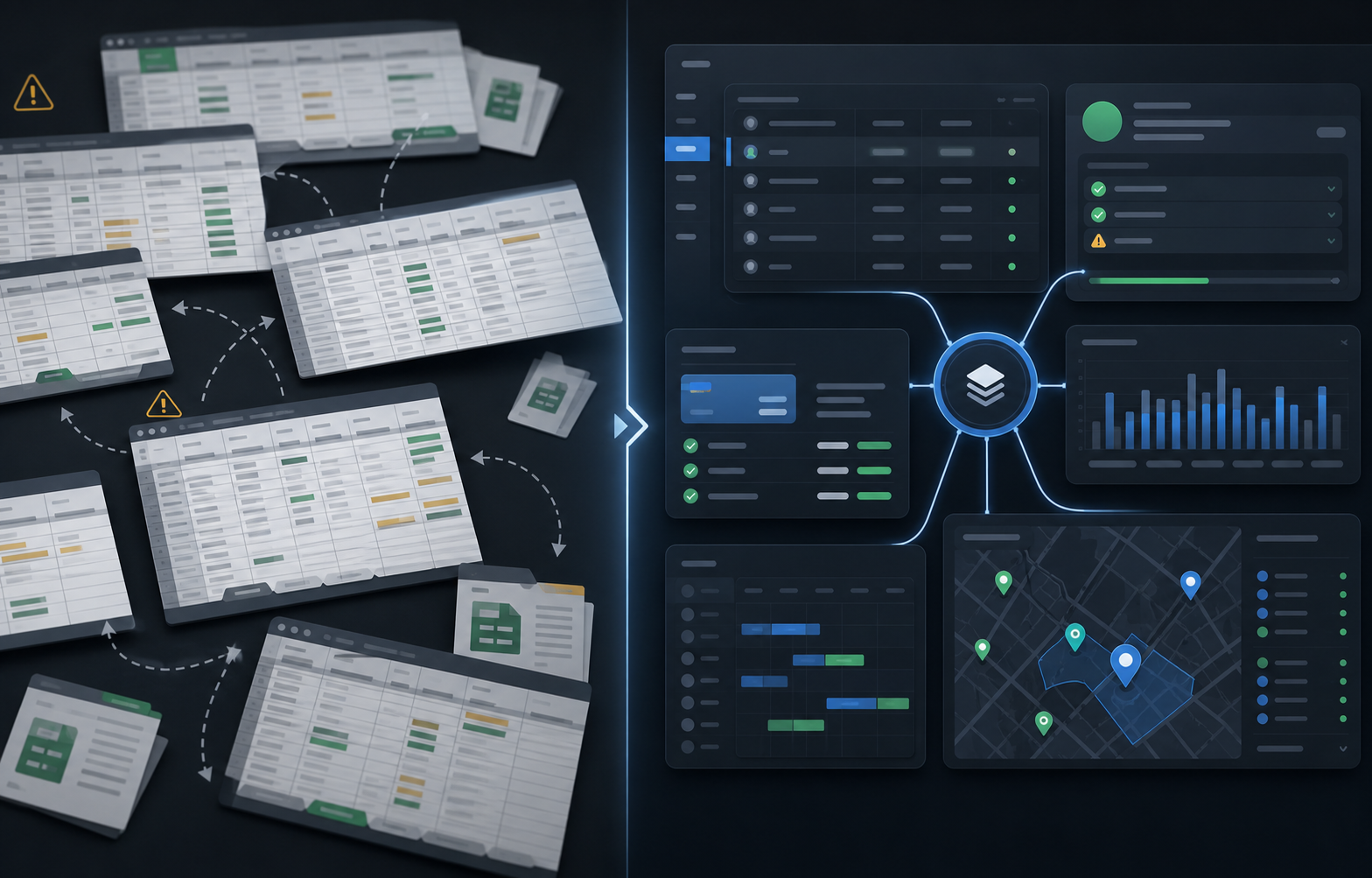
Spreadsheets are useful for an early-stage market. They are flexible, familiar, and quick to share when a team only needs a small list. The decision to move beyond them is not about declaring spreadsheets bad. It is about noticing when the same vendor, document, assignment, payment, and market-day note must be reconciled across too many tabs and people.
This comparison helps market operators decide whether the current spreadsheet stack is still doing its job or whether connected farmers market software would reduce meaningful weekly work.
Where a spreadsheet is still the right tool
A shared spreadsheet can be a sensible choice when a market runs infrequently, has a stable vendor list, collects very little documentation, and has one person who owns the operating picture. It can also remain a useful export, planning scratchpad, or finance artifact after a team adopts software.
The question changes when the spreadsheet becomes the database, approval queue, map, payment ledger, and post-market report at the same time. Once several people edit it, a row no longer tells the team where the information originated, whether it is current, or who owns the next decision.
The signs that spreadsheet work is becoming operational risk
Look for repeated actions rather than a certain vendor count. A market may be ready for a connected workflow if staff repeatedly do any of the following:
- Copy application answers into a vendor roster after every review decision.
- Search inboxes to confirm insurance, permits, or other required documents.
- Maintain a separate tab or image for booth assignments and day-of moves.
- Reconcile fees, attendance, notes, and balances after each session.
- Rebuild the same management report because facts live in different files.
None of these tasks is difficult alone. Together, they consume attention just when market-day decisions need to be quick and defensible. The cost is not merely hours; it is uncertainty about which record is right.
Compare the handoff, not the storage format
Use one real vendor to test a spreadsheet and a connected system side by side. Start with an application, add a missing document, approve the vendor, assign a booth, record a market-day note, review a fee, and prepare a closeout report. Ask whether each step updates the same context or requires staff to remember where the previous step was stored.
A connected system should preserve a trail from application to vendor record, then from vendor record to session work and reporting. It does not eliminate judgment. It reduces the amount of manual reconstruction required before the team can apply that judgment.
Hidden costs to include in the comparison
The visible cost of a spreadsheet is usually low. The invisible cost appears in recurring cleanup:
- Time spent checking duplicate names, stale versions, and incomplete rows.
- Vendor frustration when a team requests information that was already submitted.
- Risk created when a permit, payment, or assignment change is not visible to the person running the market.
- Reporting delays caused by manually combining several trackers after the session.
- Fragility when the one person who understands the workbook is unavailable.
Estimate these costs using the previous two market days. Count the handoffs, not just the total time. That creates a fairer comparison than an abstract claim that software saves time.
What changes with connected market software
Connected software should create one operating record around the work your team already does. The application can inform the vendor profile; document review can surface in readiness work; booth assignments can live with the session; and fee review, notes, closeout, and reporting can refer to the same event. The team still needs clear roles and thoughtful setup, but it does not have to rebuild the story in every tool.
For farmers markets, the most meaningful connections are usually applications, vendor records, permits, booth maps, schedules, market-day notes, payments, closeout, and reports. If a product only improves one of those areas, compare the remaining manual stack before deciding it replaces the spreadsheet.
Migration checklist for an upcoming market cycle
Start small enough to learn safely. Choose one market or application season, then prepare:
- A cleaned vendor list with a clear owner for each field.
- Current application questions and document requirements.
- Fee rules, payment status definitions, and the reports that need to be produced.
- The next few market sessions, including special dates or closures.
- A booth map or assignment list that can be validated before public use.
- A short plan for vendor communication if data or workflows change.
Keep the old workbook available as a reference during the first cycle, but avoid running two systems indefinitely. Define the moment when the new workflow becomes the source of truth and record the exceptions that need follow-up.
How to decide
Stay with spreadsheets when they still give one accountable person a reliable, low-effort operating picture. Move to connected software when handoffs, duplicate entry, missing context, and closeout reconstruction are keeping the team from managing the market itself.
The Market Manager is built for teams that have reached that second point. Evaluate it against your actual spreadsheet handoffs, then use the result to decide whether applications, permits, maps, sessions, payments, and reports belong in one connected operating workflow.
Explore the farmers market management software workflow
See how The Market Manager connects this resource topic to vendor applications, market-day operations, payments, permits, and reporting.
This action opens a related public workflow page selected from the article topic.