Application intake
Capture vendor info and files
Recurring market operations, live in one place
Run market days without the spreadsheet scramble. Bring vendor applications, stall assignments, permits, payments, session notes, and closeout into one workspace built for recurring farmers markets.
Start a public Starter trial registration.
Jump to the interactive product tour on this page.
Homepage operating status signals describe example application, vendor, and closeout states used in the product story.
A local product capture shows the seasonal operating dashboard with market readiness, vendor posture, action queues, applications, and money risk in one view.
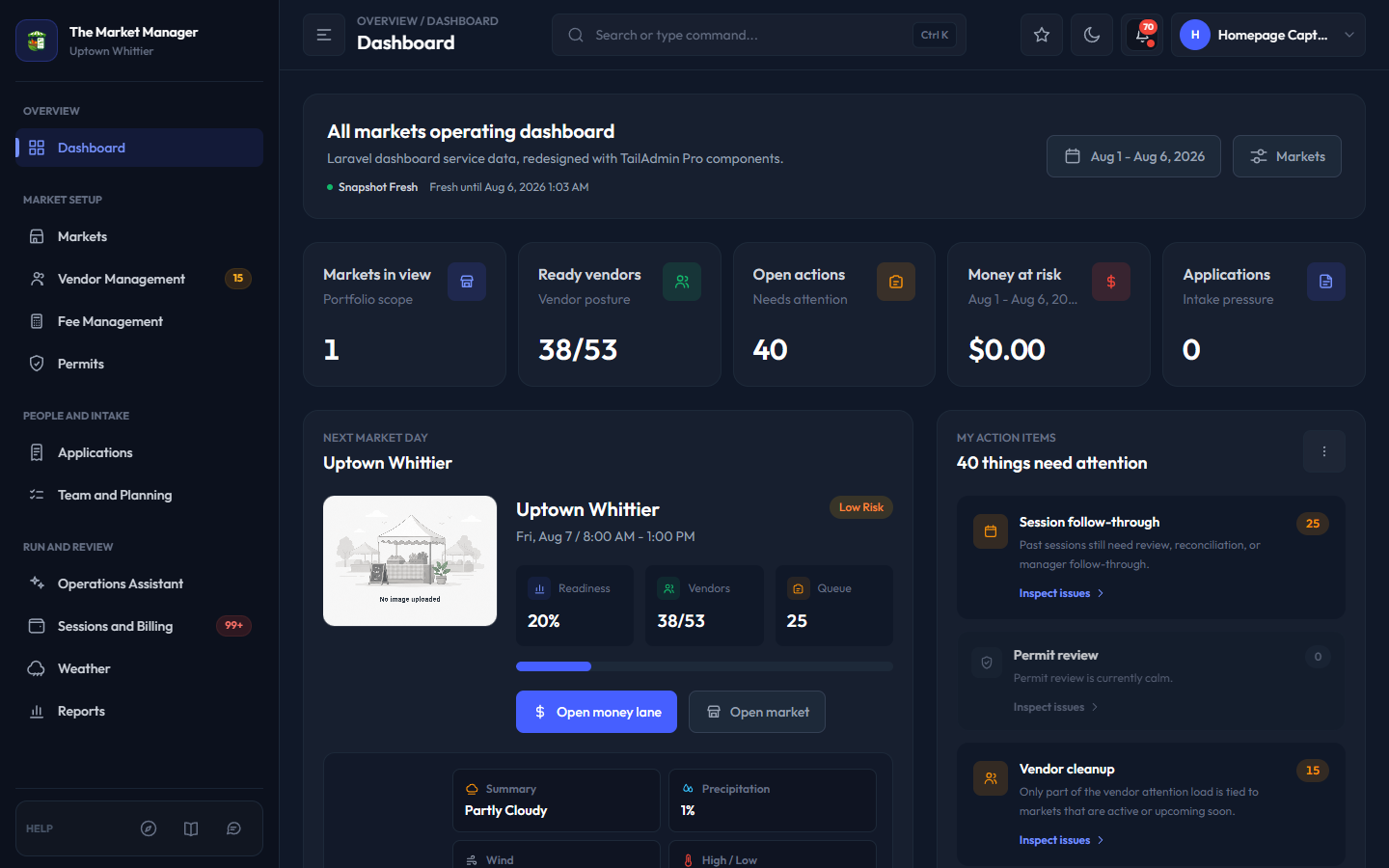
Keep market readiness, vendors, action queues, money risk, and applications visible in one fresh operating view.
Homepage workflow signal cards summarize the vendor intake, market day, and closeout context shown in the visual preview.
Capture vendor info and files
Coordinate maps, permits, and changes
Track notes, fees, and reports
A market team does not need another place to type the same vendor data. The Market Manager keeps each handoff connected, from intake and readiness to maps, market day, billing, and reports.
Homepage buyer summary metrics are static buyer-facing summary values, not live customer benchmarks.
Homepage workspace benefits summarize why connected market-week records reduce readiness and handoff work.
See missing documents, payment posture, and approval context before a roster is locked.
Keep assignments, permits, maps, attendance, and notes tied to the same session.
Jump to the before, during, and after market workflow cards on this homepage.
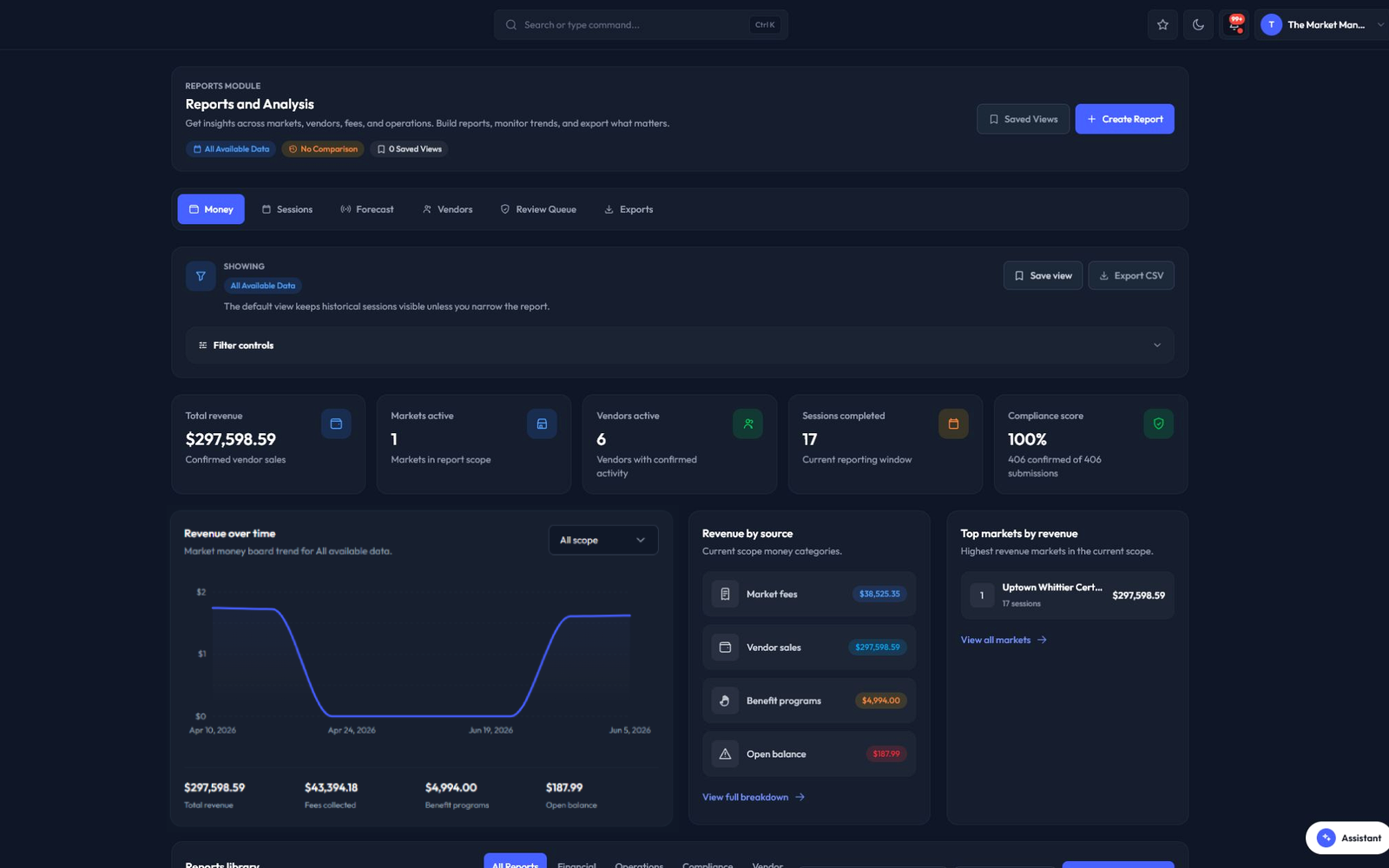
See the workflowA local product capture shows the reports overview with all available data, revenue, active markets, active vendors, completed sessions, compliance, and report-library controls.
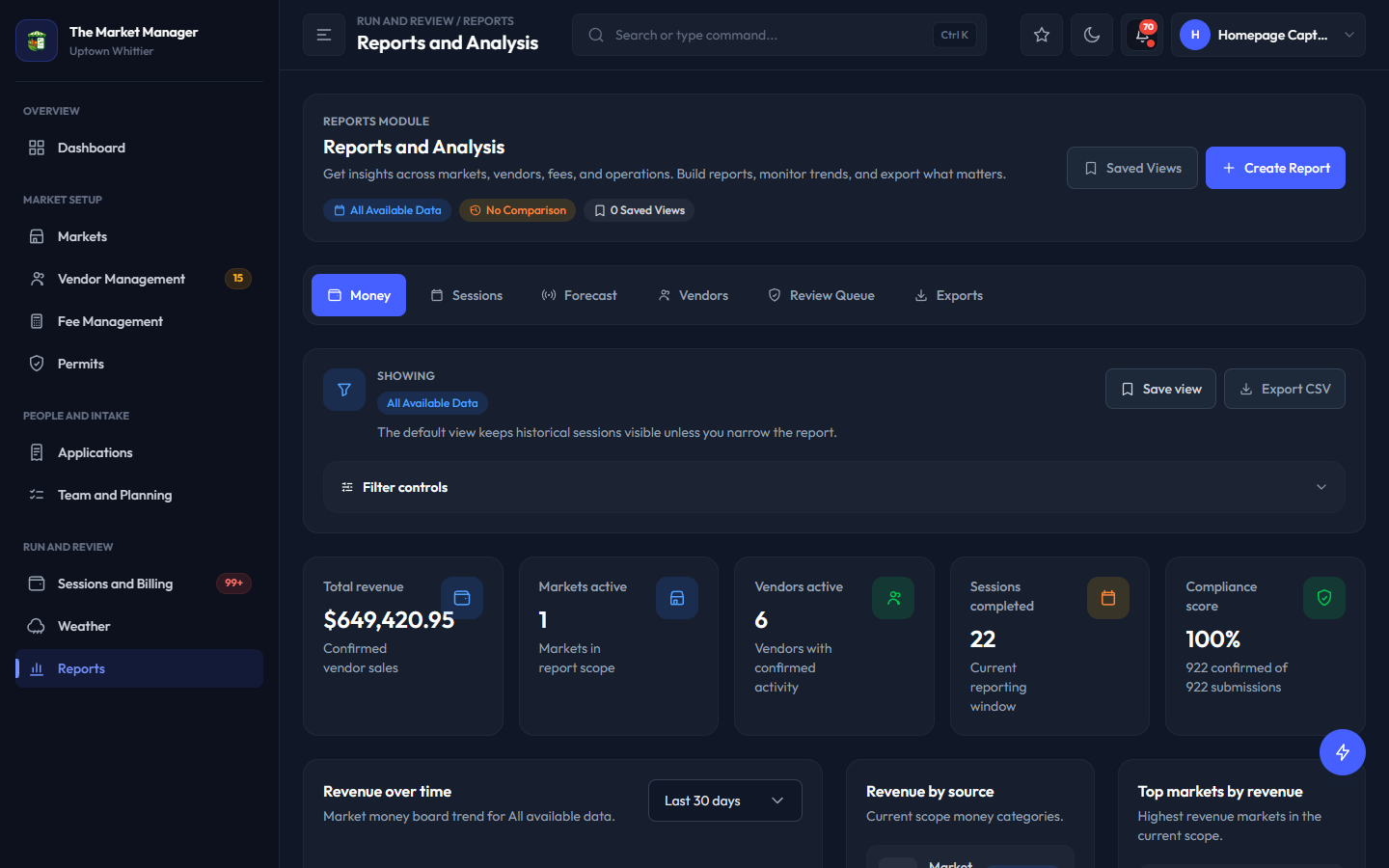
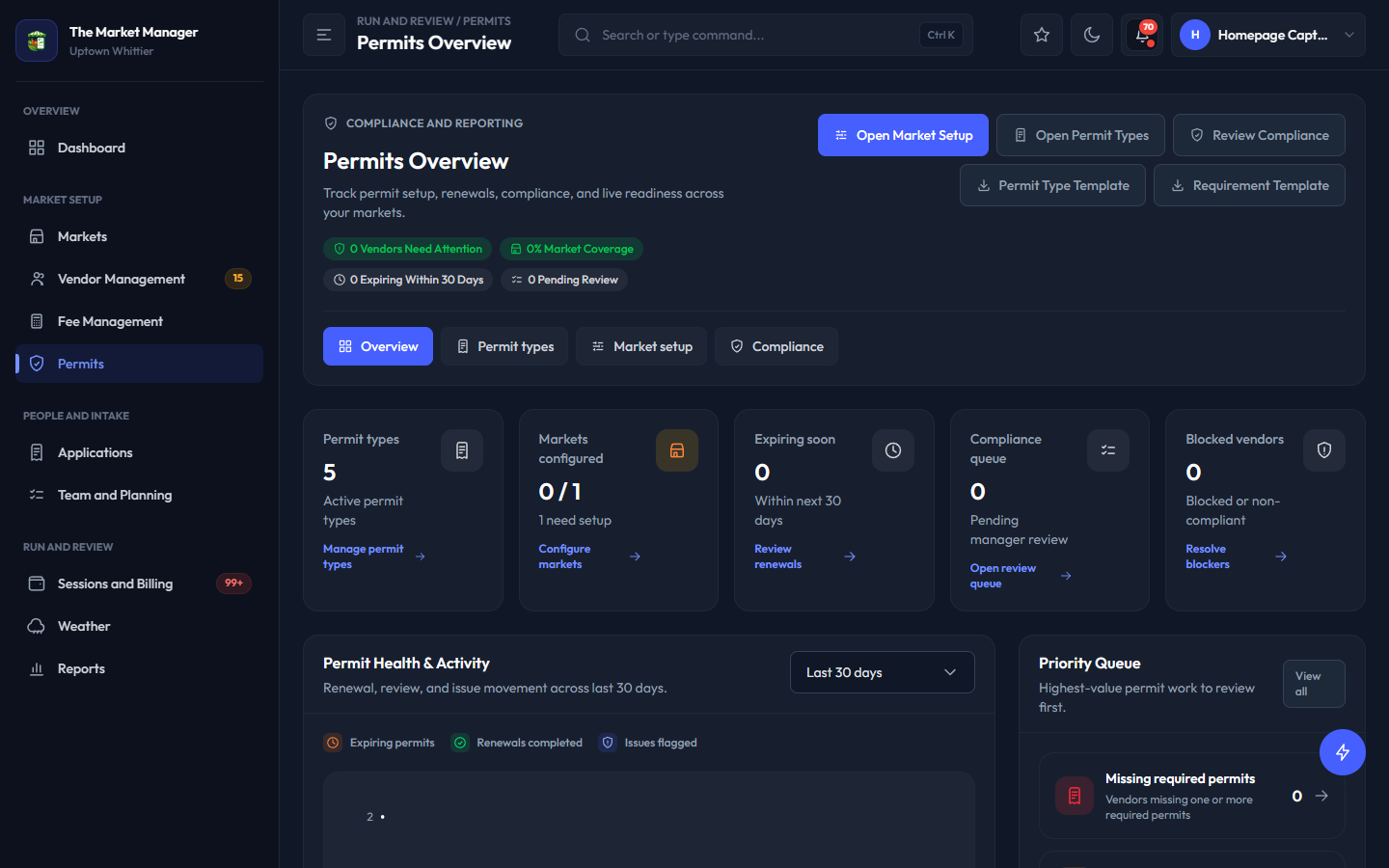
Reporting, permits, and fee logic in sync.
Each module is built around the same vendor, market, session, payment, and compliance data so the team is not stitching the story together later.
Homepage market week workflow stages split the product story into before, during, and after market-day work.
Open intake, review applicants, collect requirements, and see which vendors are actually ready before the market week gets loud.
Before the market workflow points summarize the operating tasks supported during this market-week stage.
Jump from the before the market workflow card to the product tour screenshots.
Explore workspaceKeep assignments, permits, stall maps, attendance, and weather-aware session pressure in front of the team while the market is moving.
During the market workflow points summarize the operating tasks supported during this market-week stage.
Jump from the during the market workflow card to the product tour screenshots.
Explore workspaceMove from session activity to billing, payment review, settlements, and reports without rebuilding the story from spreadsheets.
After the market workflow points summarize the operating tasks supported during this market-week stage.
Jump from the after the market workflow card to the product tour screenshots.
Explore workspaceThe market team, participating vendors, and shoppers need different experiences. The Market Manager keeps each one useful while the operating record stays connected and private information stays where it belongs.
These cards explain the visible product capabilities for market managers, participating vendors, and public visitors.
Run applications, vendor readiness, permits, booth assignments, weather-aware sessions, fee follow-up, closeout, and reporting from connected records instead of hand-built status checks.
Vendor portal access is included through the market. Vendors can return to applications, follow requests, maintain required documents, and use the vendor workspace for the information their market has enabled.
Publish the visitor-safe information people actually need: a market listing, vendor directory, product context, and a read-only map that helps a shopper find the right booth.
The 3D market map is not an illustration. It is the real workspace teams use to place booths, see assignment context, and turn a plan into a visitor-ready market.
See the whole market in one spatial view.
Move between layout, assignment, and readiness decisions without losing the floor plan.
Give participating vendors a connected workspace at no extra portal fee.
Applications, requests, permits, market assignments, catalog, sessions, billing, messages, and support stay connected when each capability is enabled.
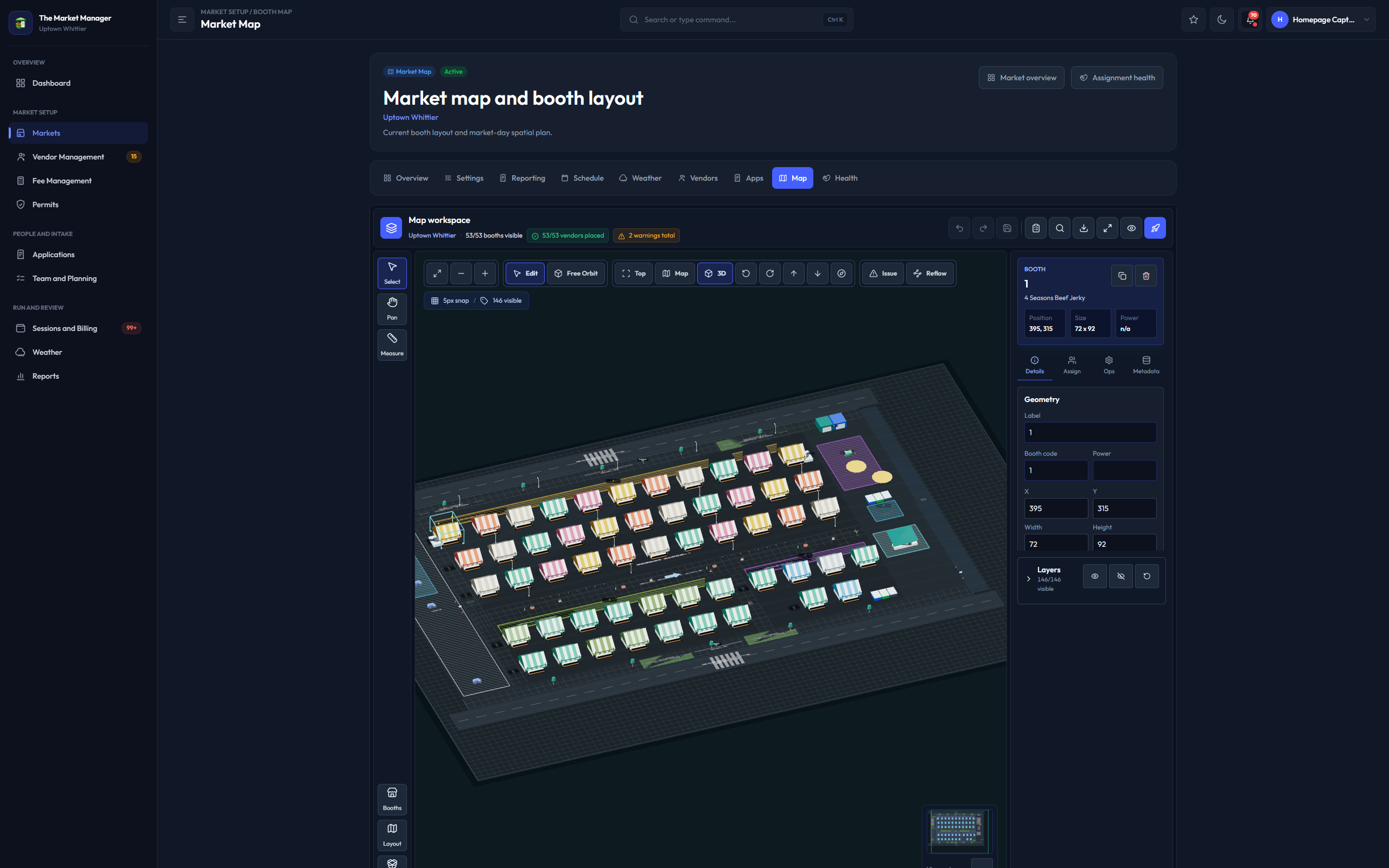
A local 3D market-map capture is the primary product proof, followed by two supporting local screens for manager operations and vendor closeout delivery. No phone numbers or email addresses are included in these public proof images.
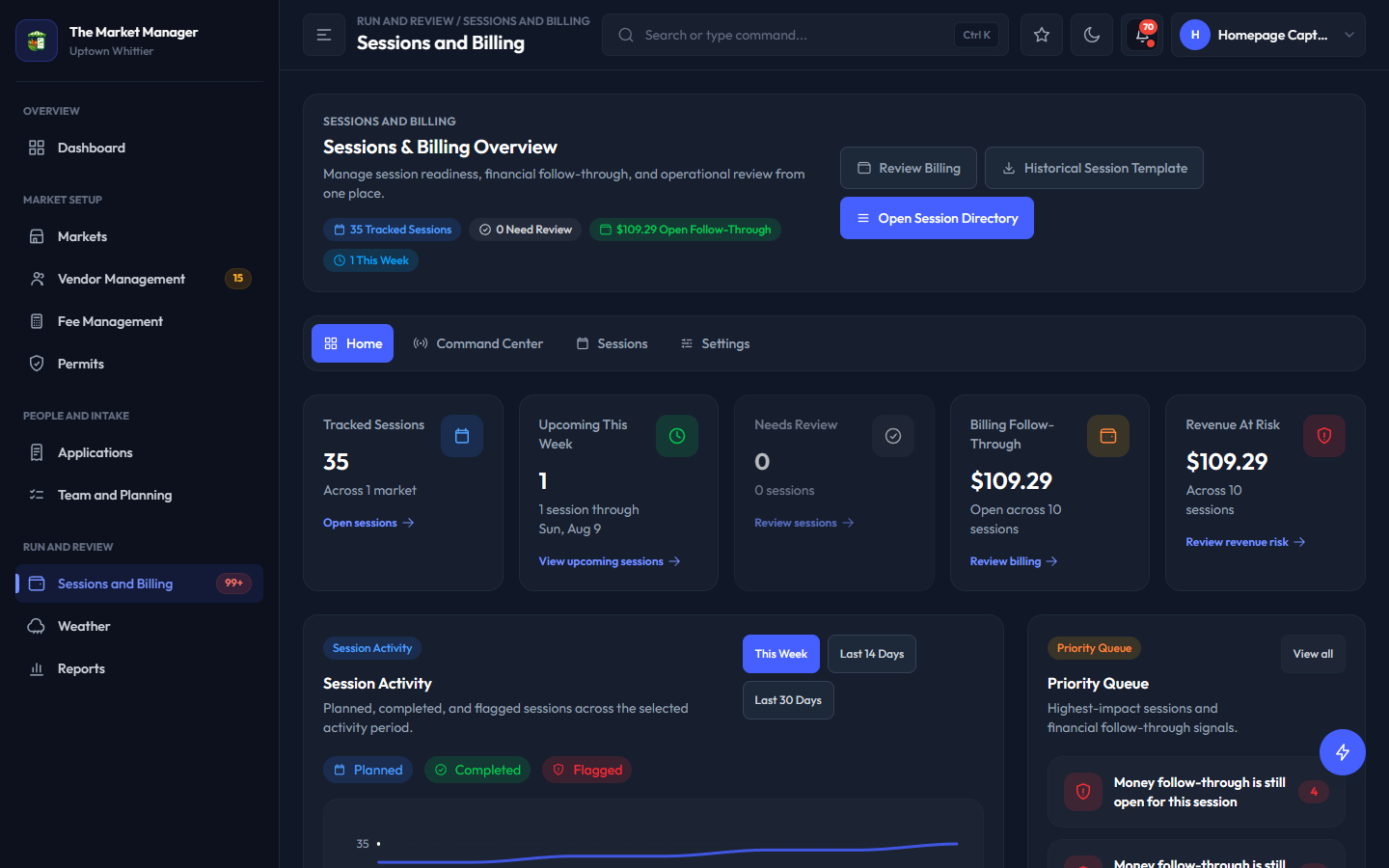
See tracked sessions, upcoming work, money follow-through, and the next financial action without rebuilding the status from spreadsheets.
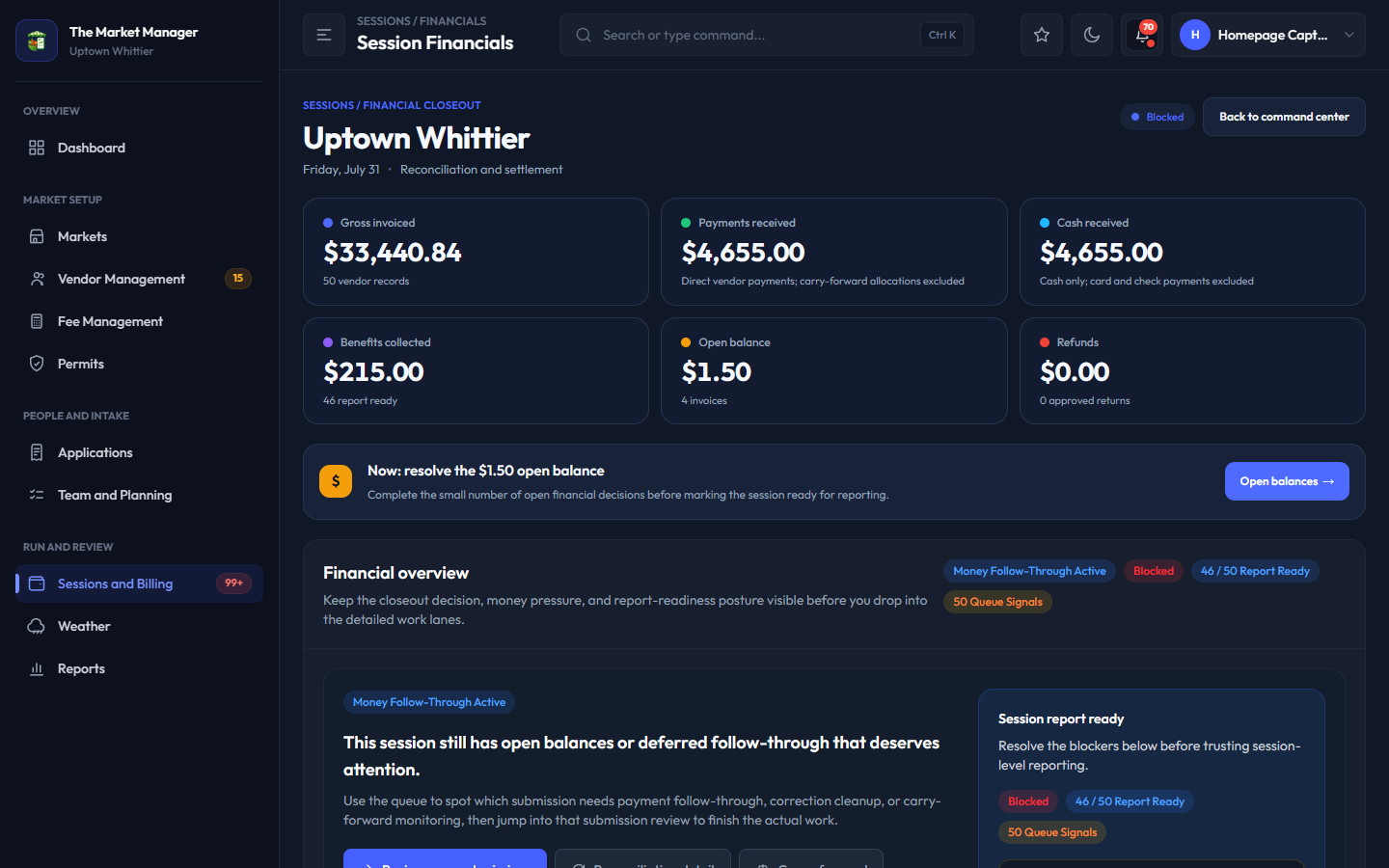
Review session-level reporting readiness, payment posture, benefits, balances, and billing coverage before financial reporting is treated as final.
Click through the operational workspaces buyers actually care about.
Product tour tabs switch between workspace screenshots without leaving the homepage.
See reported activity, payments, benefits, open balances, and billing follow-through together so managers know exactly what still needs action.
This screenshot previews the selected product tour workspace without changing page data.
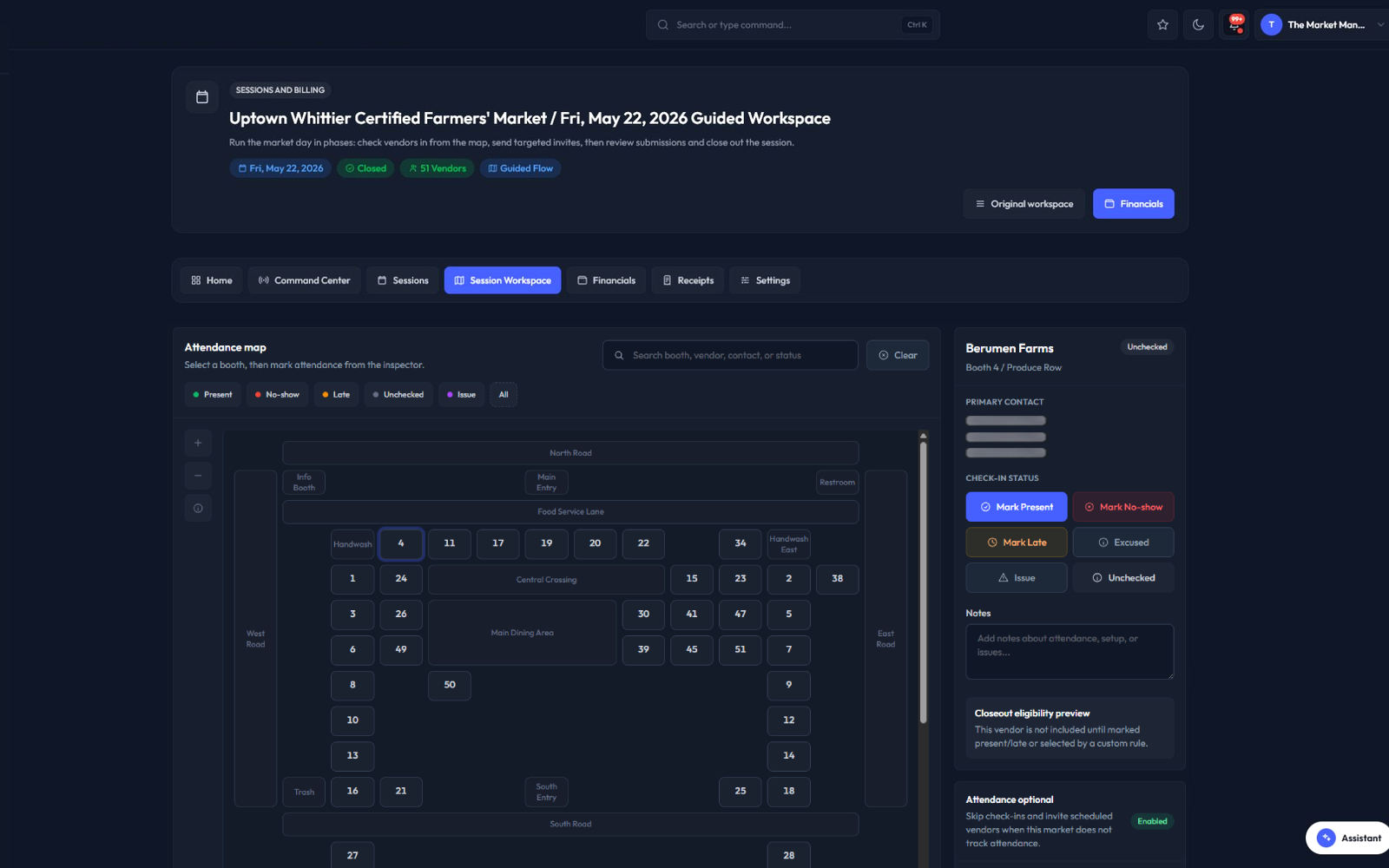
Applications, approvals, documents, sessions, fees, permits, notes, and market participation travel with the vendor record.
This screenshot previews the selected product tour workspace without changing page data.
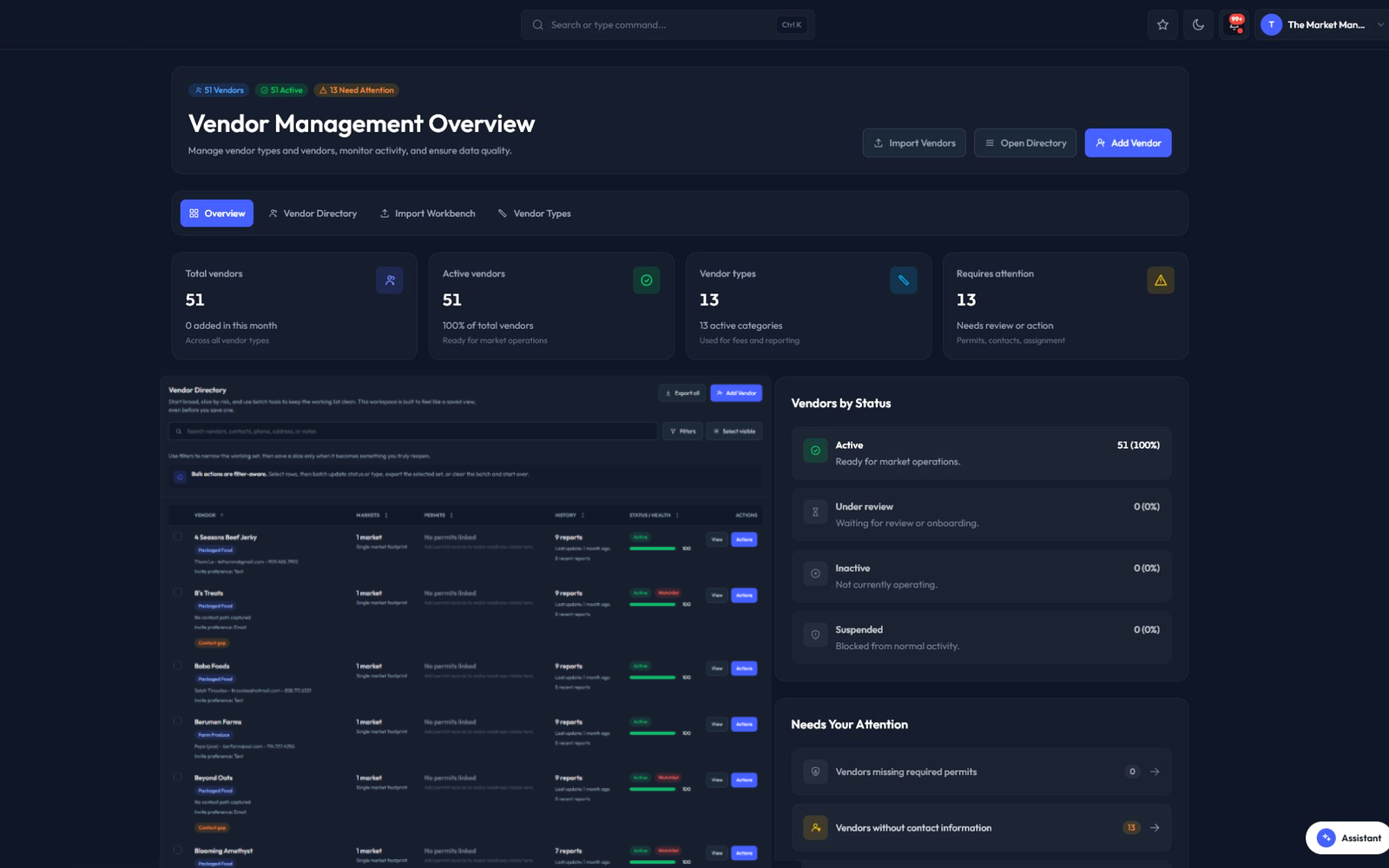
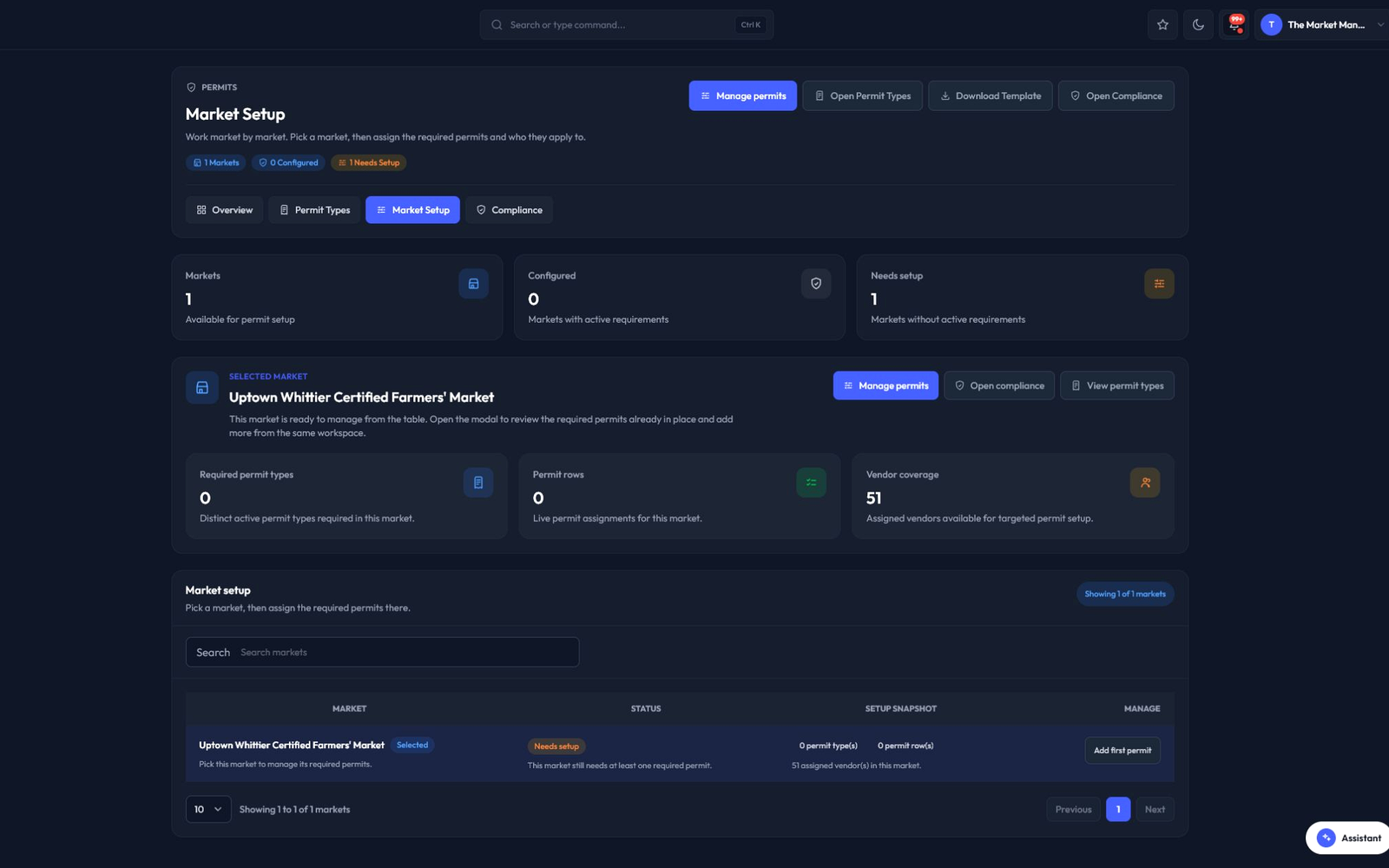
Permit review queues and dashboards help teams catch expiring documents and missing requirements before they become market-day surprises.
This screenshot previews the selected product tour workspace without changing page data.
Financial and operational reporting keeps revenue, fees, participation, and follow-up connected to each session.
This screenshot previews the selected product tour workspace without changing page data.
Set up one market, invite vendors, run intake, review permits, work a session, and see whether the closeout story finally stays connected.
Start a public Starter trial registration from the starter trial section.
Request owner-reviewed pricing instead of starting a standard trial.
Create the operation and bring the weekly rhythm into the system.
Open intake and see which vendors are ready to move forward.
Connect attendance, assignments, permits, weather, and market-day notes.
Look at fees, payment posture, reports, and the next set of actions.
Try Starter for 30 days, then move into the plan that fits your markets, vendors, team size, and operating complexity.
Pricing interval controls switch the visible plan preview between monthly and annual price labels.
One market getting organized
Replace scattered tracking with one workspace for core market operations.
Starter configured plan limits summarize market and vendor capacity shown in the public plan preview.
Starter workflows are owner-managed public plan catalog features shown as included or not included in this preview.
Start registration with Starter and monthly billing selected.
Start registration with Starter and annual billing selected.
Growing teams running intake and sessions together
Bring applications, sessions, reporting, and exports into the same workflow.
Growth configured plan limits summarize market and vendor capacity shown in the public plan preview.
Growth workflows are owner-managed public plan catalog features shown as included or not included in this preview.
Start registration with Growth and monthly billing selected.
Start registration with Growth and annual billing selected.
Larger or multi-market operations
Add higher capacity, scheduled reporting, intelligence, and support.
Pro configured plan limits summarize market and vendor capacity shown in the public plan preview.
Pro workflows are owner-managed public plan catalog features shown as included or not included in this preview.
Start registration with Pro and monthly billing selected.
Start registration with Pro and annual billing selected.
Request a custom review for larger capacity, unusual workflows, onboarding, rollout support, or a module mix that needs owner approval.
Compare all configured public plan details.
Open the owner-reviewed custom plan request form from the homepage pricing section.
Compare all plans Request custom planQuick answers on workflow scope, pricing, and growing into deeper modules.
Homepage FAQ disclosures expand answers in place without changing routes or submitting data.
Start with one real market, then decide whether the system earns its place in the weekly rhythm.
Start a public Starter trial registration from the final homepage call to action.
Open the owner-reviewed custom plan request form from the final homepage call to action.
Start 30-day trial Request custom plan